Personal finance, told straight
Your money,
granted.
Track spending, savings, debts and investments in one place. Real numbers, no cheerleading, nothing counted before it happens.
Djinero. Like the genie, like the dinero.
- Manual entry — no bank connections
- Works on mobile and desktop
- AI insights are optional
Inside the app
Built for the phone in your pocket.
Spending, budgets, net worth and debts on one screen — designed to be read at a glance, standing in a shop, not studied at a desk.
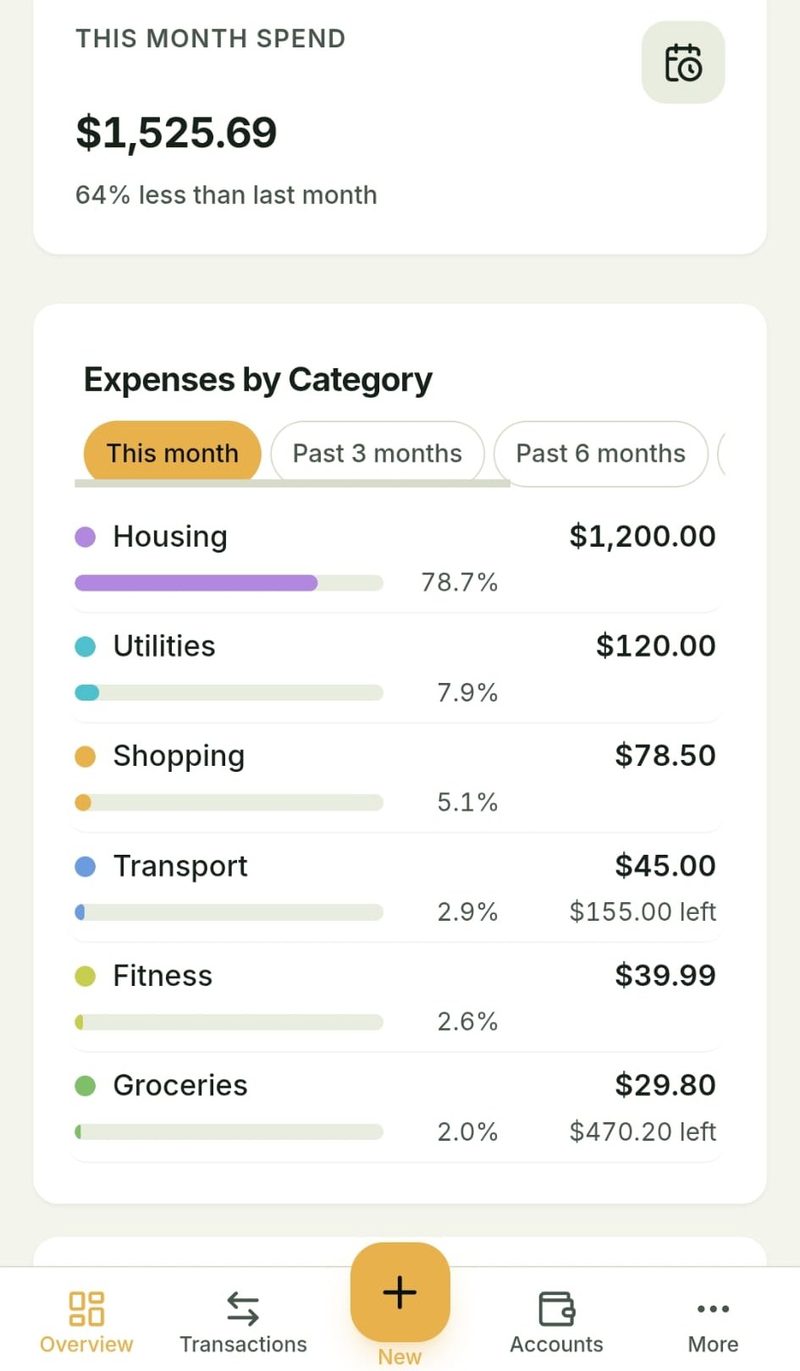
See where the money actually went
Every category shows the amount, its true share of your spending, and what's left of that budget — as text, not just colour, and never hidden behind a hover.
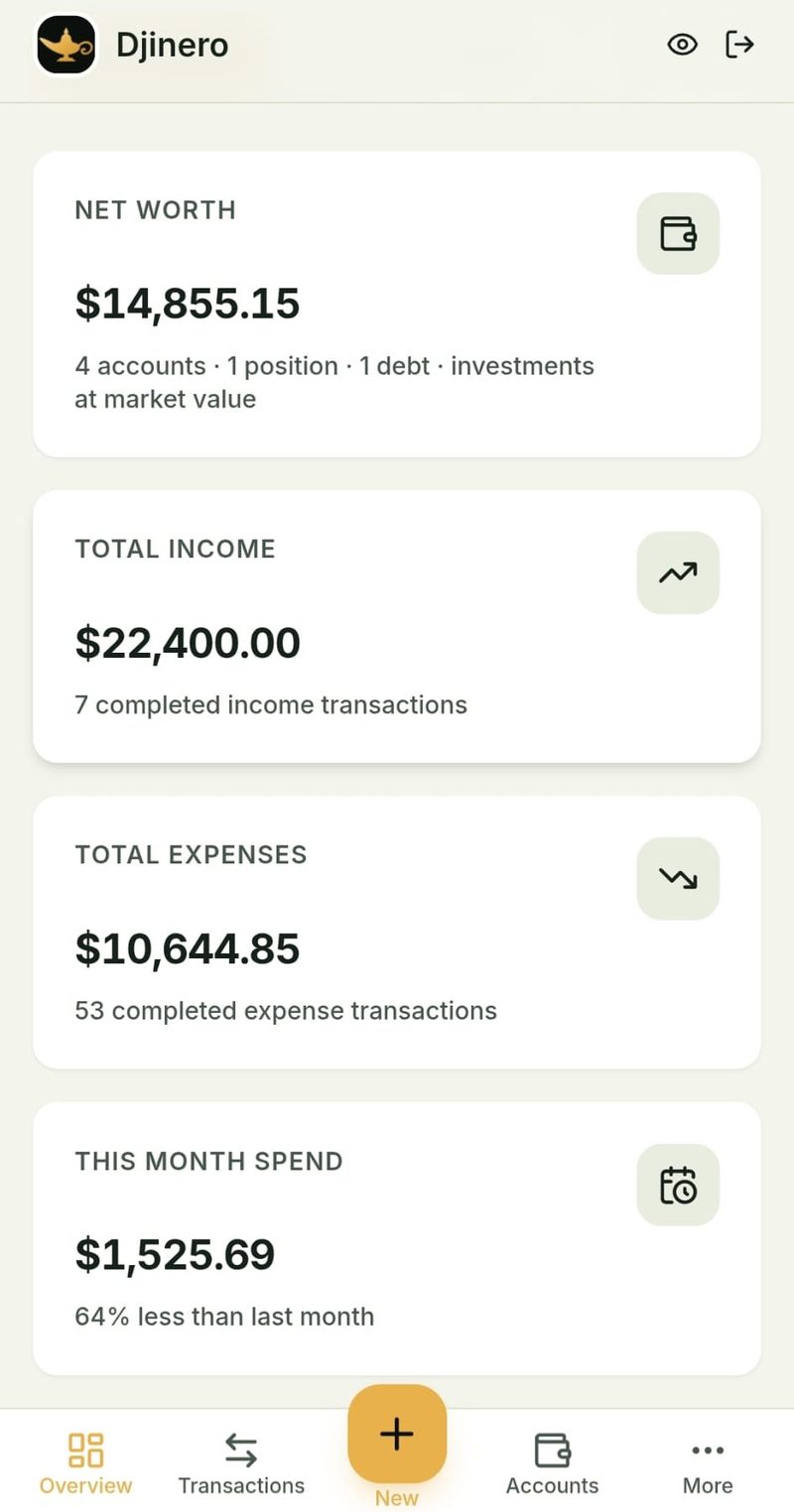
Know your net worth, computed once
Accounts, plus investments, minus debts. Every figure comes from the same calculation, so no two screens can disagree about what you're worth.
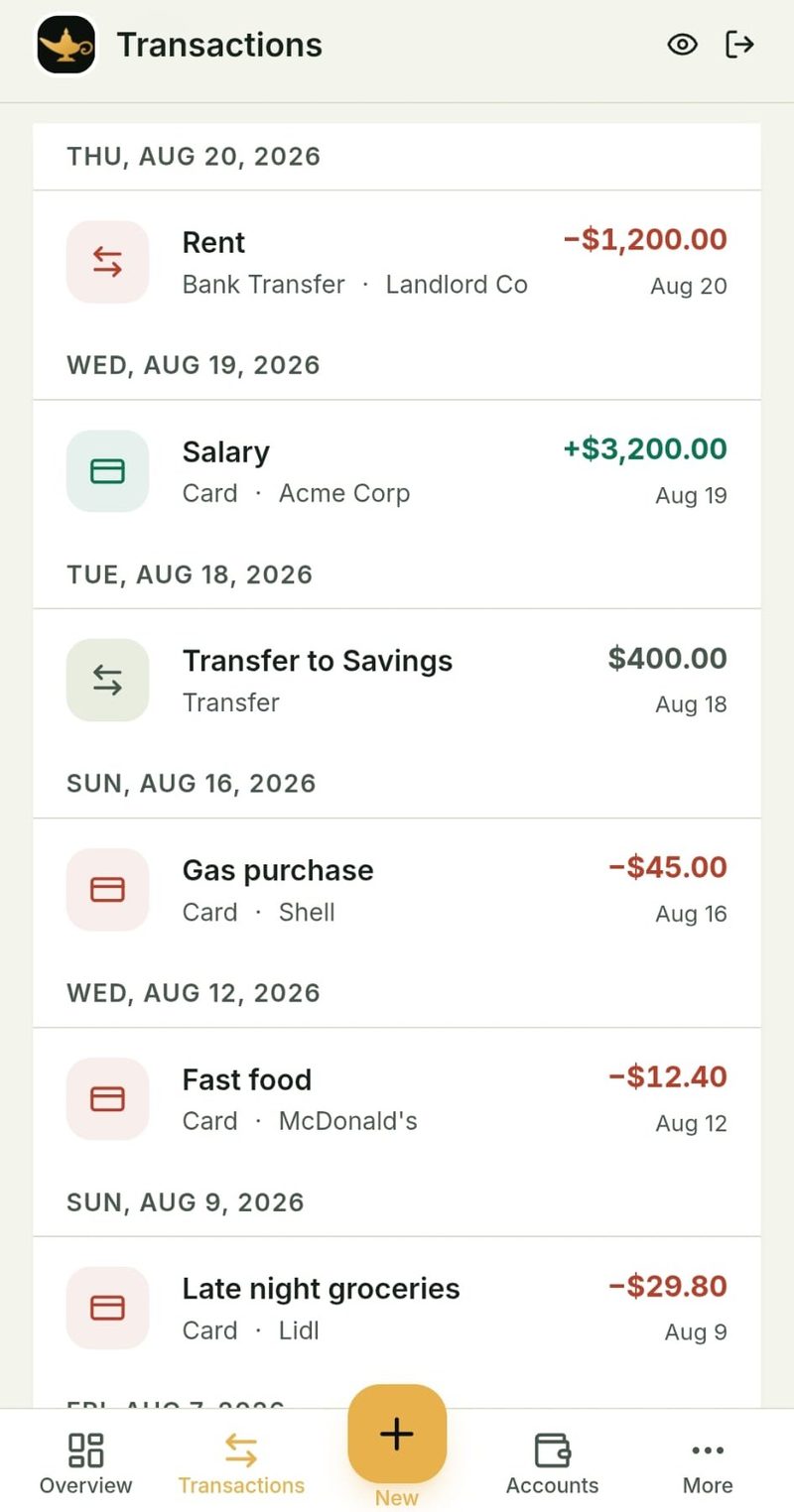
Negative means negative
Money out is red and carries a minus sign. Money in is green. Transfers between your own accounts are neither, so they never inflate what you earned or spent.
Screenshots of the real app, August 2026. The figures are sample data.
Why another money app
Most budget apps flatter you. This one doesn't.
If you're overdrawn, the number is red and it has a minus sign in front of it. Nothing is rounded in your favour, and nothing gets counted before it happens.
Everything your money is doing, in one place.
Spending
Log transactions by hand and watch your monthly spending take shape across categories.
Accounts
Track bank accounts, savings, digital wallets and credit cards in one view.
Cash
Keep physical cash in the picture with ATM withdrawals and cash deposits.
Debts
See loan and card balances, interest rates and minimum payments side by side.
Wishes
Set savings goals, track progress and celebrate as you get closer.
Investments
Record stock positions and options, and review your portfolio at a glance.
How it works
No bank connections, no imports. Just you and the numbers.
Create your accounts
Add your bank, savings, cash, credit card and investment accounts with starting balances.
Add transactions by hand
Enter income, expenses and transfers as they happen — or catch up at the end of the week.
Set budgets and wishes
Decide how much to spend in each category and set savings goals you want to reach.
See the full picture
Your dashboard, net worth and trends update automatically as you enter more data.
Your data, your control
What you should know about how your information is handled.
Manual entry only
Djinero does not connect to your bank. You enter every transaction yourself, so nothing leaves your accounts without your action.
Stored on our servers
Your data is stored in our database and tied to your account. We do not sell your data to third parties.
AI insights are optional
AI features are optional. When enabled and actively used, limited financial data may be sent to an external AI provider to generate the requested result. Nothing is sent in the background, and AI processing can be disabled at any time.
Delete anytime
Clear your data or delete your account from Settings. You stay in control of what you keep and what you remove.
Frequently asked questions
Get in touch
Questions, feedback or ideas? Send us a message.